Engine-aware explorer
Browse schemas, tables, views, procedures, indexes, roles, Redis keys, and MongoDB collections with automatic refresh after structural changes.
Explore, query, edit, import, export, and back up your databases from one secure, native desktop workspace.
Looking for a different build? Email mrehtsham0@gmail.com with the platform and format you need.
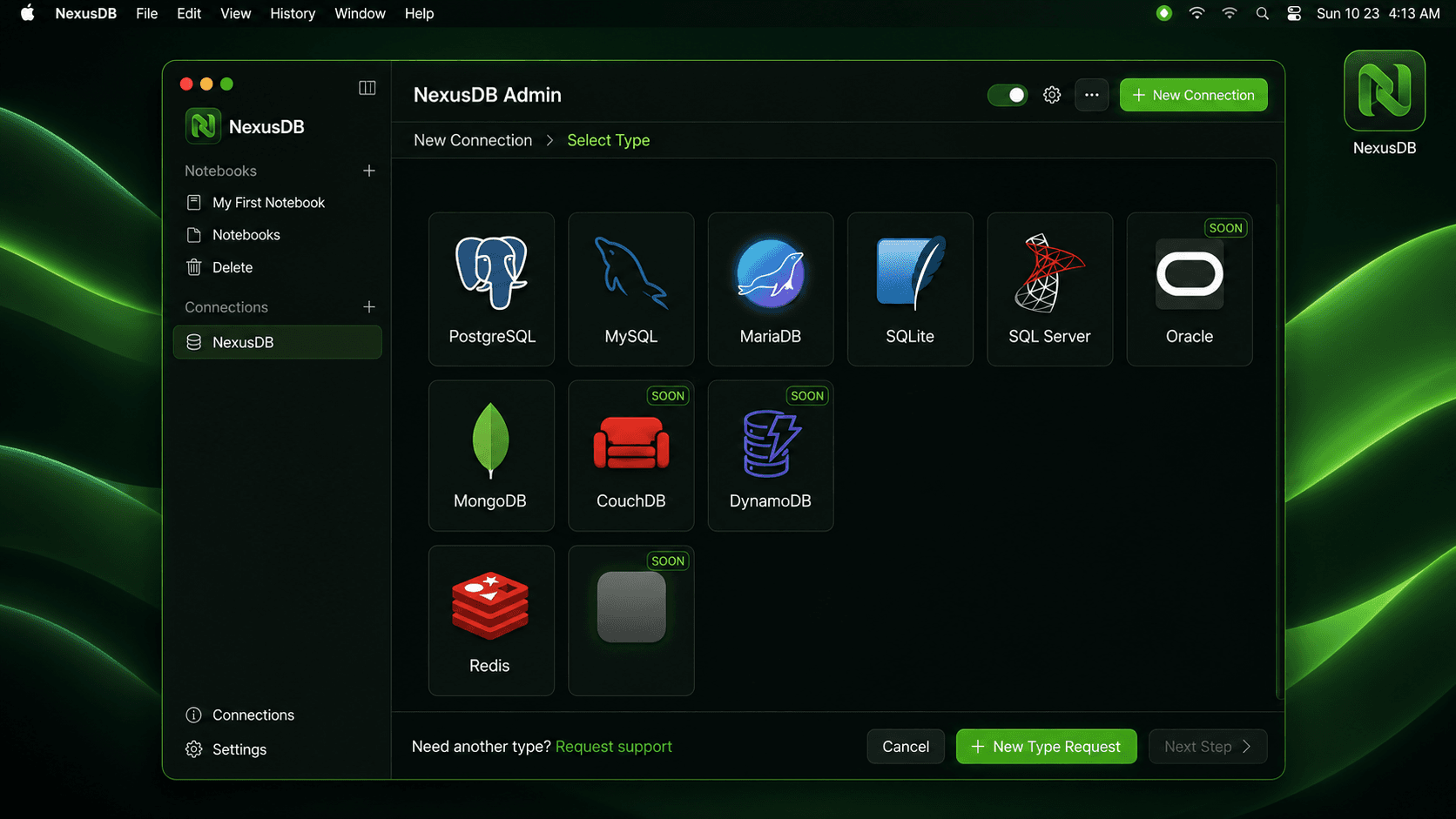
 PostgreSQL
 MySQL
MySQL MariaDB
 SQLite
 SQL Server
 MongoDB
 Redis
Redis Oracle
 Elasticsearch
 DynamoDB
 CouchDB
 Kafka
Kafka RabbitMQ
 Memcached
 Amazon S3
Browse schemas, tables, views, procedures, indexes, roles, Redis keys, and MongoDB collections with automatic refresh after structural changes.
Use syntax highlighting, formatting, autocomplete, selected-statement execution, timing, and engine-aware dangerous-command detection.
Sort type-aware results, inspect JSON, edit SQL rows inline, mask detected PII, and confirm generated mutations before they run.
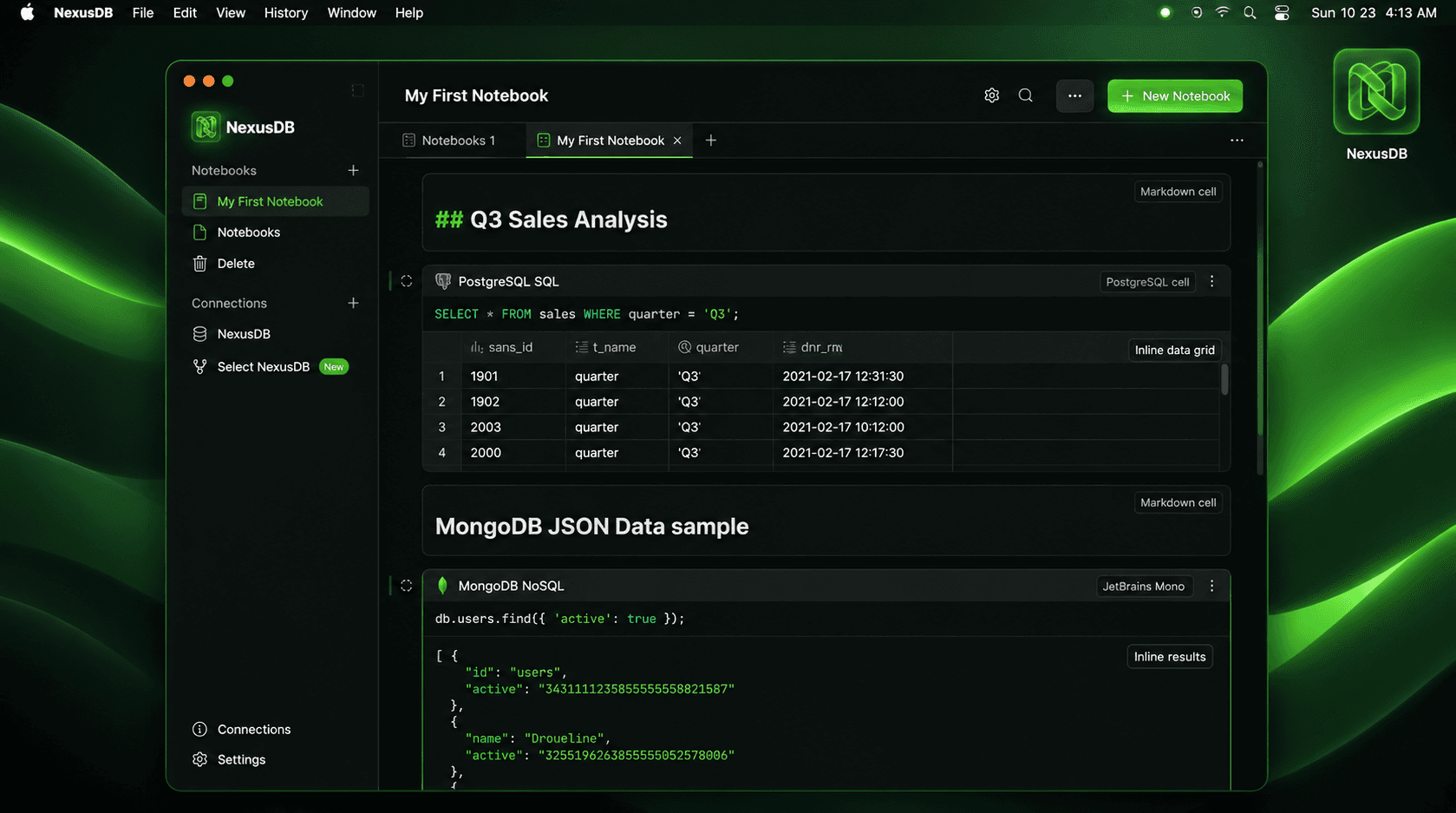
Combine live query cells with GitHub-flavored Markdown, KaTeX math, tables, and highlighted code, then export to IPYNB, Markdown, or SQL.
Preview and import CSV, JSON, or Parquet; export CSV, JSON, XML, or compressed Parquet; and copy tables between SQL databases.
Run native PostgreSQL, MySQL, MariaDB, and SQLite backup workflows, or automate validated local exports with job history.
See every database in one organized workspace. Recent connections, saved notebooks, and pinned queries stay ready whenever you return.
Grab the native desktop bundle for macOS, Windows, or Linux. No account required, no telemetry.
Open NexusDB and pick up where you left off — recent connections, saved notebooks, and pinned queries are right there.
Add a local or remote database. Credentials are stored in your OS keychain, never in plaintext.
Use the engine-aware explorer to navigate schemas, tables, views, indexes, Redis keys, and MongoDB collections.
Compose queries in the tabbed workbench with syntax highlighting, formatted output, and timing per query.
Save results to CSV, JSON, or Parquet. Import data, schedule backups, and copy tables between databases.
Move naturally from schemas and tables to a full query workbench. NexusDB keeps the database context beside your editor and results.
Secrets live in your operating system's credential vault—not in frontend state. Filesystem access is restricted, certificates are validated, and risky operations require confirmation.
Favorites, settings, saved content, and native desktop behavior stay ready between sessions.
Yes. The core NexusDB desktop experience is free for individual developers, with no account required.
Your connections, credentials, and query history stay locally on your machine. NexusDB does not send your database data to a hosted cloud service.
Yes. You can work completely offline with SQLite files or databases running locally in containers.
NexusDB supports PostgreSQL, MySQL, MariaDB, MongoDB, SQLite, Microsoft SQL Server, and Redis, with engine-aware browsing and query tools.
Yes. NexusDB lets you copy tables between SQL databases, schedule local exports, and run native backup and restore workflows.
Credentials are isolated in the OS keychain, dangerous commands require confirmation, and the application never proxies your data through a third-party service.
Tell us what would make NexusDB more useful in your daily workflow. Every idea helps us build a better database workspace.
Stop switching between database tools. Build your data workflow in one focused workspace.